

You’re sitting at a crowded café, juggling a heavy codebase on one screen and a local AI model on the other. The cooling fans spin up, the battery percentage drops faster than you’d like, and you realize you’re stuck between two premium heavyweights. The new Surface Laptop Ultra and the MacBook Pro with M5 Pro both promise to handle demanding workflows, but they play by completely different rules. Choosing between them isn’t just about reading spec sheets; it’s about whether your daily routine needs raw offline AI muscle or a seamless, all-day companion. Let’s break down exactly which machine deserves your desk space.
The Real Story Behind Local AI and CUDA If your daily grind involves running large language models locally, keeping sensitive data off the cloud, or fine-tuning codebases without waiting on API rate limits, the hardware divide becomes obvious fast. Microsoft built the Surface Laptop Ultra with a clear target: developers and creators who refuse to compromise on local AI performance.
With up to 128GB of unified memory and native CUDA support, this machine is engineered to host massive models offline. You’re looking at noticeably faster time-to-first-token responses and the ability to run 70B to 120B parameter setups without choking your IDE. Apple’s M5 Pro, while brilliantly optimized for general computing, caps at 64GB. Once you cross that memory threshold or rely on AI libraries compiled specifically for NVIDIA’s ecosystem, the Surface quietly takes the lead.
Why this matters for your workflow:
- Zero-Token Limits & Data Privacy: Keep proprietary contracts, client datasets, and internal codebases strictly on-device.
- Native CUDA Ecosystem: Skip translation layers. Most open-source AI frameworks compile and run natively, saving hours of debugging.
- Massive Memory Headroom: Run mid-to-large models alongside heavy development environments without hitting the system swap wall.
Daily Speed, Battery Reality, and the Ecosystem Factor Most of our workdays don’t actually revolve around AI prompts. They’re about compiling code, managing 40 browser tabs, rendering video timelines, and jumping between emails. Here, Apple’s playbook shines. The M5 Pro’s single-core dominance translates to snappy, responsive everyday tasks, and macOS has had years to polish its developer toolchain.
Battery life tells the same story. Apple promises up to 14 hours of real-world web browsing with full performance even when unplugged. Microsoft’s “all-day” claim stays conveniently vague in the fine print. If you’re constantly hunting for power outlets or hate the panic of a dying battery during a client call, the MacBook Pro feels noticeably more relaxed to live with.
There’s also the Windows on Arm reality check. While emulation has improved dramatically, legacy audio plugins, niche hardware drivers, or older development tools might still stutter. Apple Silicon’s six-year head start means fewer compatibility headaches out of the box, letting you focus on shipping instead of troubleshooting.
Screen Space, Ports, and Future-Proofing Visually, the 15-inch Surface display hits a brilliant 2,000 nits peak HDR, making timeline scrubbing or outdoor viewing pop. But sustained brightness and the lack of pen support feel like missed opportunities for visual creators. Apple’s 16-inch Liquid Retina XDR option trades peak HDR numbers for consistent, glare-free clarity across the entire panel, especially when paired with nano-texture glass.
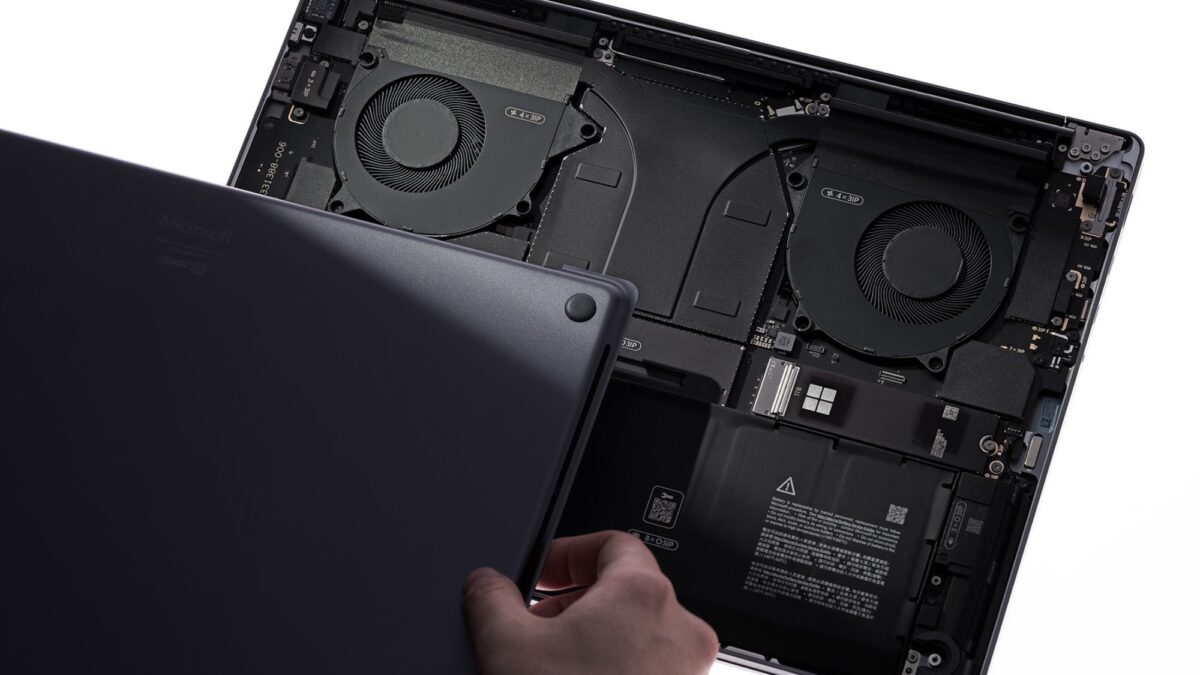
Where the Surface quietly wins is connectivity and long-term ownership. You get three USB-C ports, a full-size USB-A, HDMI, and an SD reader right out of the box. The built-in magnetic USB-C charger frees up a port while plugged in. Better yet, you can actually replace the SSD yourself and order official parts. Apple’s soldered-everything approach looks sleek on day one, but it’s a tough pill to swallow when storage needs evolve.
For unwinding, the Surface’s DLSS and Reflex support at 120Hz is a straightforward win if you play modern titles. Apple’s ray tracing leaps are impressive, but Windows still owns the desktop gaming ecosystem.
Which One Actually Belongs on Your Desk? The Surface Laptop Ultra is a specialist’s powerhouse. It’s built for contractors guarding strict NDAs, AI researchers training models offline, and hybrid creators who want one machine that handles heavy rendering by day and smooth gaming by night. Just skip the 24GB base model if local AI is your priority.
The MacBook Pro with M5 Pro remains the king of frictionless productivity. If your workflow already lives in macOS, you value seamless iPhone handoffs, and you want a machine that just works with legendary battery life and zero thermal drama, it’s the safer daily driver.
Both machines are exceptional, but they solve different problems. If CUDA compatibility or models beyond 64GB dictate your next project, the Surface is your only real play. Otherwise, the M5 Pro will quietly power through your week without a second thought. Pick the machine that matches your actual workflow, not just the marketing spec sheet, and your next upgrade will pay for itself on day one.